
Your Browsing History
 Holiday Shipping Details & Extended Holiday Returns Holiday Shipping Details & Extended Holiday Returns

Joined on 01/02/03
Great card
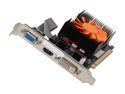
Pros: I replaced the existing old nVidia card in my MythTV frontend machine with this primarily to use the VDPAU functionality for video decoding and, most of all, de-interlacing. I'm using the MythTV built-in profile for VDPAU high quality and this thing works like a charm...just awesome. I can now play video files that the CPU on that frontend couldn't come close to, and the de-interlaced picture quality of 1080i TV is MUCH better.
Cons: My only gripe is that it was missing one of the small form factor brackets. It had the one for moving the VGA to a second slot, but was missing the small form factor DVI/HDMI bracket. Luckily I'm using thing with DVI and already had a DVI/svideo bracket that works (unless I ever need to use the HDMI).
CANNOT tolerate the backlight timeout!
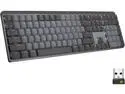
Pros: Most everything about this keyboard is great EXCEPT the backlight timeout, but that outweighs all the pros.
Cons: As users have apparently been screaming about for YEARS now, the backlight on this keyboard times out and goes off after about 6 seconds without typing, and there is NO way to change or disable that!! This was apparently the case with the MX Keys as will prior to the MX Keys S. Also note that a trick I read about to cover the green light in the upper right with tape does NOT work for me either. I did discover that plugging in the USB charging cable prevents that, but that is NOT a solution.
Overall Review: Despite the fact that this COULD be a great keyboard, that backlight timeout is a non-starter for me and probably will be for many others. I returned mine the day after I first set it up. CANNOT imagine what Loigtech was thinking.
Didn't work with older Dell
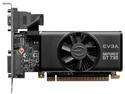
Pros: Quiet...2GB, quiet.
Cons: Just as another reviewer reported, this card could not be recognized by my older Dell Dimension 4700C with the newest BIOS they ever offered. It just beeped and woulnd't boot. I don't feel inclined to be as forgiving as he was and view this as defective, plain and simple, especially given that other modern nVidia cards work in this computer just fine.
Don't even consider this thing
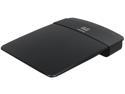
Pros: Price I suppose.
Cons: This is perhaps the buggiest product it's ever been my misfortune to buy. It frequently just plain locks up requiring a power up/down, and this has only become worse now that I have 50 Mbps internet access...sustained fast downloads seem make this issue worse. For what it's worth, my E1200 is "hardware version 1" as apposed to 2. I only became aware of that when I sent to download firmware and saw the prompt. I had no idea what they meant. I have a feeling that "hardware version 1" translates to "the flawed piece of junk we should have replaces for free". There are few things I have owned that I truly wanted to take a hammer to...this is one of them.
Overall Review: Thanks a lot Cisco.
Thinkpad docking station NG
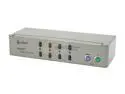
Pros: Seems to work fine with PS/2 workstation connectors.
Cons: This thing flat out REFUSES to work with my Thinkpad T43 docking station's PS/2 connectors. It works fine on boot up, but when switching from and back to the T43 it looses the mouse every time. Perhaps I shouldn't give it such a bad rating, as I can't seem to find ANY kvm switched that don't have some sort of show stopper issue...read my review of the Startech SV411KA and it's issues on Linux machines for some real carnage. By the way...I hate that beeping this thing makes when switching machines...whose brilliant idea was that?
Do NOT use with Linux
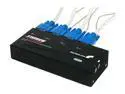
Pros: Audio support, rugged construction, seems to work fine with Windows. Great phone support people.
Cons: Contrary to a previous review, this thing does NOT work reliably with Linux. If, like me, you use a lot of control sequences (ctrl-d to close terminals, ctrl-w to close browser tabs etc) this thing will constantly miss key-up signals and leave d's, w's etc streaming into the last app you were in until you bang at the escape key. I got a factory replacement for my first one as I thought it was broken, but the new one acted the same. This not only occurred with my Gentoo systems (several...very current), but from a knoppix 5.1.1 boot as well. I was also able to reproduce the issue with a knoppix disk on completely different computers. This rules out any oddball hardware or OS specific issues. In addition, it's occasionally left the keyboard in some sort of odd state where passwords can't be recognized, forcing me to ssh from another machine just to become root and safely reboot. I tried adding a DC adapter, changing repeat rates, etc and nothing helped.
Overall Review: I have to say, Startech has awesome, knowledgeable support people...absolutely first rate. I worked with them on the phone trying to find a solution to this, but nothing worked. That's why I gave this a 2 rather than a 1. However as a computer professional for 25 years I can say without question, this is not for use with Linux.