




 here!
here!
I’m your shopping assistant for PC builds, upgrades, and everything tech.
Got questions? Ask away!
Start a conversation
here!
I’m your shopping assistant for PC builds, upgrades, and everything tech.
Got questions? Ask away!
Start a conversation

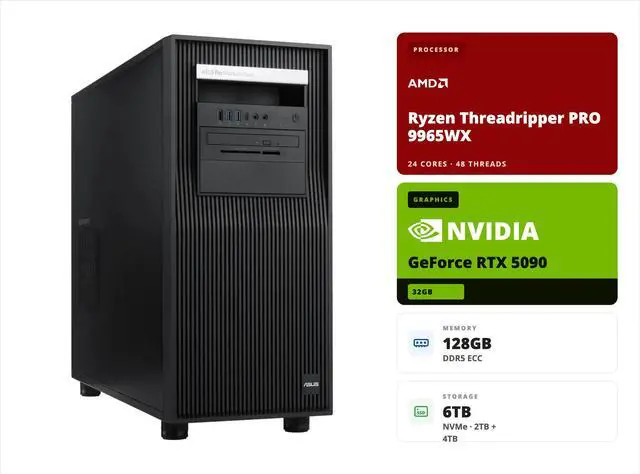



Any questions? Ask CelesteSM will help you find out quickly.
The Kalyron Ruby is the AI workstation you don't outgrow: a liquid-cooled 24-core Threadripper PRO on the AMD WRX90 platform, Blackwell-generation RTX 5090 graphics, PCIe 5.0 storage on both drives — and enough empty DIMM slots, PCIe x16 slots, and drive bays to absorb your next three upgrade cycles.

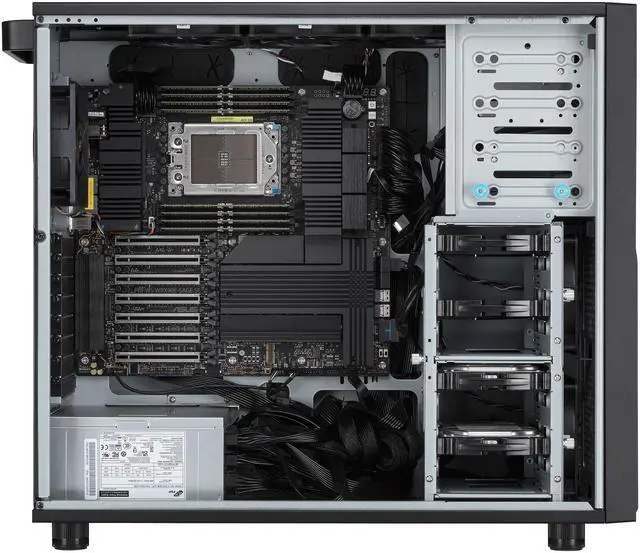
One look inside the ASUS ExpertCenter Pro ET900A X9 explains the "you don't outgrow it" claim — hover each marker (or read the legend) for what the expansion actually buys you.
 1
sTR5 socket · AMD WRX90Home of the liquid-cooled 24-core Threadripper PRO 9965WX.
2
8 DIMM slots128 GB ECC Registered DDR5 installed — expandable all the way to 2 TB.
3
7× PCIe x16 slots (Gen5)Six x16 links plus one x8 link — room for future accelerators, capture cards, and NICs.
4
4× 3.5″ internal baysGrow bulk storage for datasets and project archives without touching the NVMe drives.
5
2000 W 80 PLUS Platinum PSUPremium-efficiency headroom for the RTX 5090 and everything you add later.
1
sTR5 socket · AMD WRX90Home of the liquid-cooled 24-core Threadripper PRO 9965WX.
2
8 DIMM slots128 GB ECC Registered DDR5 installed — expandable all the way to 2 TB.
3
7× PCIe x16 slots (Gen5)Six x16 links plus one x8 link — room for future accelerators, capture cards, and NICs.
4
4× 3.5″ internal baysGrow bulk storage for datasets and project archives without touching the NVMe drives.
5
2000 W 80 PLUS Platinum PSUPremium-efficiency headroom for the RTX 5090 and everything you add later.
Workstation-class platform with the PCIe lanes to feed every slot — the liquid-cooled 24-core Threadripper PRO 9965WX lives here.
Ships with 128 GB of ECC Registered DDR5; grow into terabyte-class memory for giant datasets and in-memory analytics.
Six x16 links + one x8 link. Add accelerators, capture cards, or faster NICs years from now.
Bulk SATA/SAS storage for corpora and archives, alongside the PCIe 5.0 NVMe pair.
Higher-efficiency Platinum rating — quiet, cool, and ready for full-load runs.
The exact workloads this configuration was built for — no hypotheticals.

Serve mid-size open-weight models privately in 32 GB of GDDR7 — order it with the Qwen 3.5 27B package and the OpenClaw agent framework pre-installed and skip setup week.

ETL, feature engineering, and CPU-bound model work spread across a liquid-cooled 24-core Threadripper PRO — with 128 GB of ECC DDR5 keeping big frames in memory, honestly.

CFD, FEA, and scientific computing with workstation-class accuracy — ECC memory end to end, and 6 TB of PCIe 5.0 NVMe as blistering scratch space.

Blackwell-generation ray tracing and DLSS 4 on the ASUS TUF RTX 5090 deliver photoreal design and simulation visuals with speed to spare.

9th-gen NVENC encoders accelerate live production and editing pipelines while the 24-core CPU chews through exports in the background.

Engine and shader builds love 24 cores; testing on Blackwell-generation graphics with DLSS 4 keeps the play-test rig and the build box in one tower.
Scene photos are AI-generated illustrations of typical deployments, not photographs of this exact product.
Where this box refuses to be ordinary is headroom — what's installed is only the starting point:
| Dimension | Installed Today | Room to Grow |
|---|---|---|
| System Memory | 128 GB DDR5 ECC Registered | 8 DIMM slots — up to 2 TB |
| Expansion Slots | ASUS TUF RTX 5090 installed | 7× PCIe x16 (Gen5; six x16 + one x8 link) — room for up to 4 GPUs total |
| NVMe Storage | 2 TB (OS) + 4 TB (data), both PCIe 5.0 | 4× PCIe 5.0 M.2 slots total, plus 2× SlimSAS ports for industrial NVMe |
| Bulk Storage | — | 4× SATA 6Gb/s ports and 4× 2.5″/3.5″ drive bays |
| Networking | Intel dual 10Gb Ethernet (2×10 GbE) | Faster NICs via free PCIe slots |
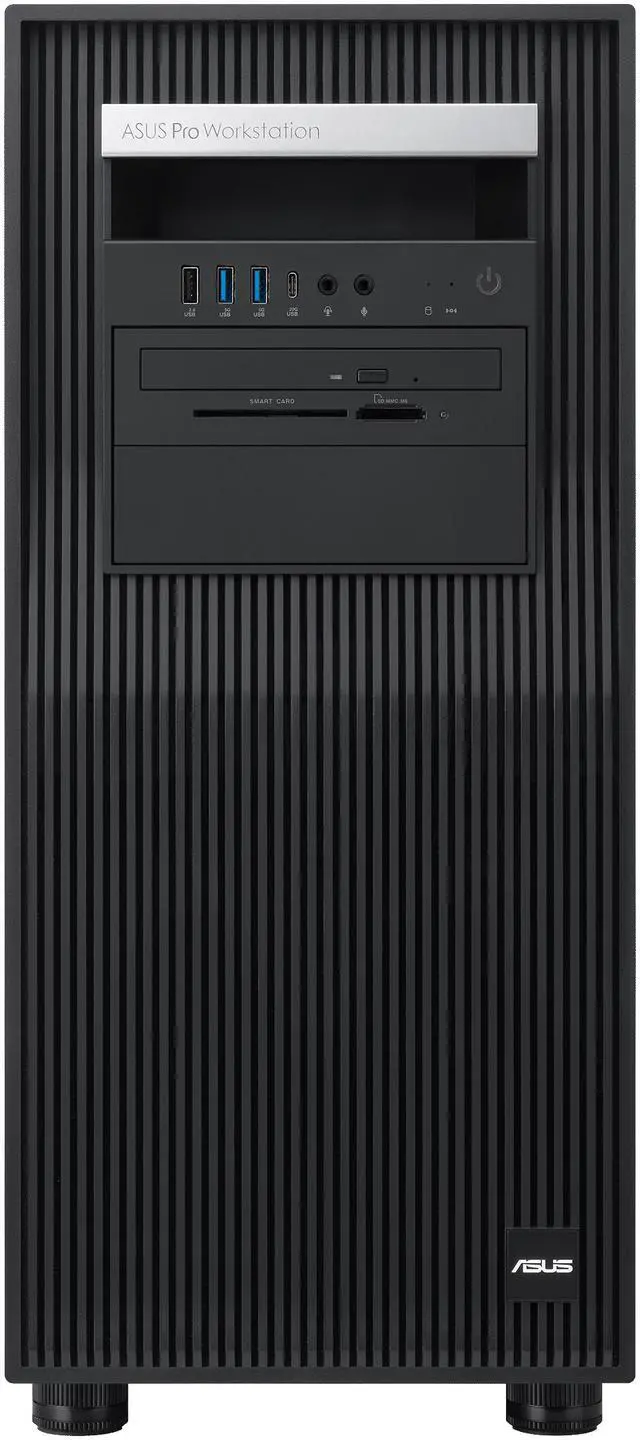
| Front & Rear I/O | USB Type-C, Type-A, and audio within easy reach | USB4® 40Gbps with DisplayPort™ Alt Mode for high-speed external expansion |
| Power Budget | 2000 W 80 PLUS Platinum | Platform supports PSU options up to 2000 W 80 PLUS Titanium |


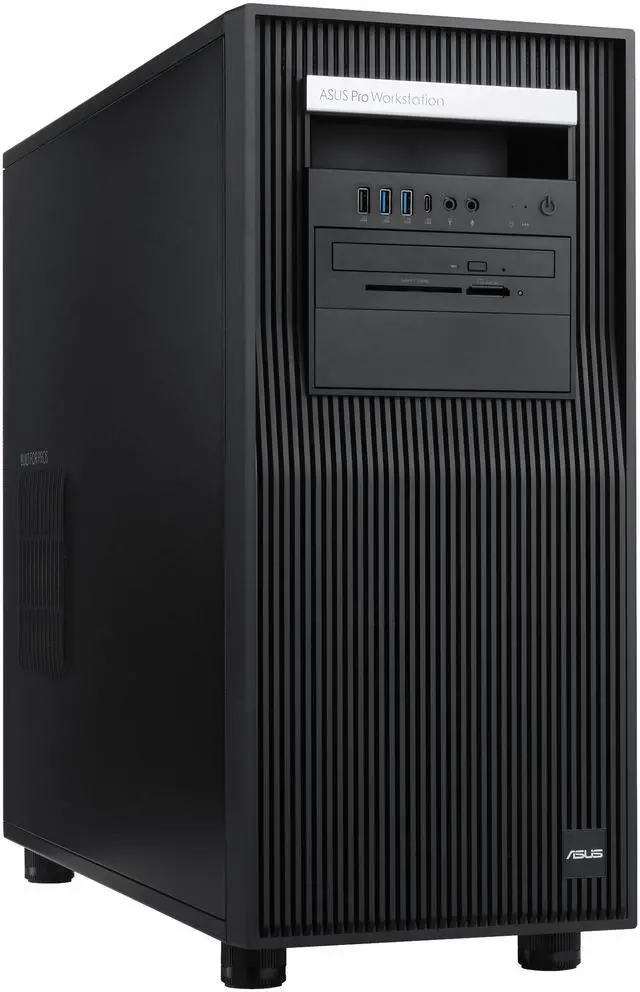
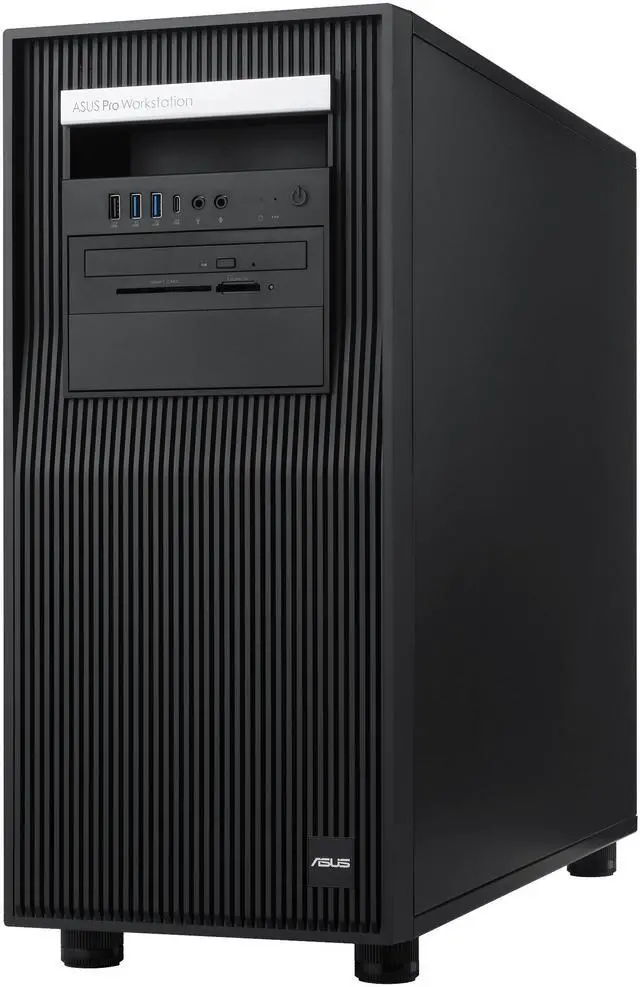
Platform photography of the ASUS ExpertCenter Pro ET900A X9, provided by ASUS.
The ASUS ExpertCenter Pro ET900A X9 platform ships with fleet-management software and a verified software compatibility list — this is capable hardware that's also ready for a managed IT environment.

Fleet health, utilization, and system status at a glance across every workstation on the network.
Deploy updates and policies across every workstation from one console instead of walking to each desk.
Helps prevent unauthorized access and data leaks with centralized policy control.
ASUS Control Center Express ships with the ET900A X9 platform — no separate license to buy.
Adobe® Creative Cloud (Illustrator, Photoshop, Premiere Pro, After Effects), Autodesk® 3ds Max, Autodesk® Maya.
Autodesk® Revit, Autodesk® 3ds Max, Autodesk® AutoCAD, Chaos® V-Ray.
Autodesk® AutoCAD, Autodesk® Fusion 360, Autodesk® Inventor.
ASUS partners directly with these independent software vendors to test and verify compatibility on the ET900A X9 platform.
Illustrative deployment profiles — and the Build-to-Order options that fit each one:

Order it with Qwen 3.5 27B pre-configured and OpenClaw pre-installed: a private assistant and agentic workflows running in week one, no cloud bills.
24 ECC-protected cores and PCIe 5.0 scratch space handle solver runs; TAA compliance and USA assembly clear institutional purchasing.
RTX 5090 graphics for photoreal viewports and DLSS 4 testing, NVENC for delivery, and a CPU that treats an engine build like a warm-up.
Start at 128 GB; the 8 DIMM slots take you to 2 TB when your datasets demand it — no platform swap required.
7× PCIe x16 slots mean next year's accelerator, capture card, or 25/100 GbE NIC drops straight in.
Every unit is assembled and stress-tested in the USA to your configuration — request a quote or customize from this page.
Yes — the RTX 5090's 32 GB of GDDR7 comfortably serves mid-size open-weight models; the optional Qwen 3.5 27B (or higher) package ships pre-configured for private on-prem inference, and the optional OpenClaw framework adds agentic AI out of the box.
The liquid-cooled 24-core Threadripper PRO 9965WX on the AMD WRX90 platform brings workstation-class parallelism, ECC Registered memory support, and the PCIe lanes that feed 7× PCIe x16 slots and dual PCIe 5.0 NVMe drives — desktop platforms can't.
8 DIMM slots take system memory up to 2 TB; 7× PCIe x16 slots (Gen5) accept future accelerators and NICs; and 4× 3.5″ internal bays add bulk storage — all inside the ASUS ExpertCenter Pro ET900A X9 chassis.
Ubuntu comes pre-installed — the native home of CUDA, PyTorch, vLLM, and the open-source AI stack.
It is TAA compliant and assembled in the USA, with compliance documents available for purchase review.
1-year parts and labor limited warranty backed by ABS manufacturer support. As a Build to Order system, it is custom built and stress-tested after purchase.
This is a high-end tower AI workstation built for teams and professionals running local LLM inference, AI development, data science, HPC, and GPU-heavy rendering, with a 24-core AMD Ryzen Threadripper PRO 9965WX, ASUS RTX 5090 32GB, 128GB ECC DDR5, and Ubuntu in a workstation-class platform.
| Attribute | Value |
|---|---|
| Best For | On-prem AI development and inference, data science and HPC workloads, AI-driven rendering, video/streaming pipelines, and game development in a tower workstation environment |
| Model Identifiers | ABS / Asus Kalyron Ruby series model KR-TP9965WX-AR5090 (part number KR-TP9965WX-AR5090) by ABS |
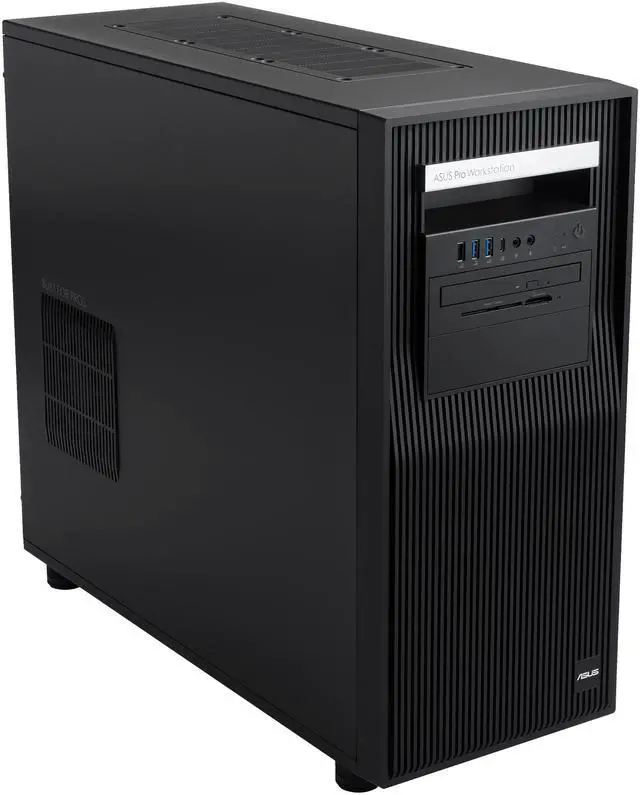
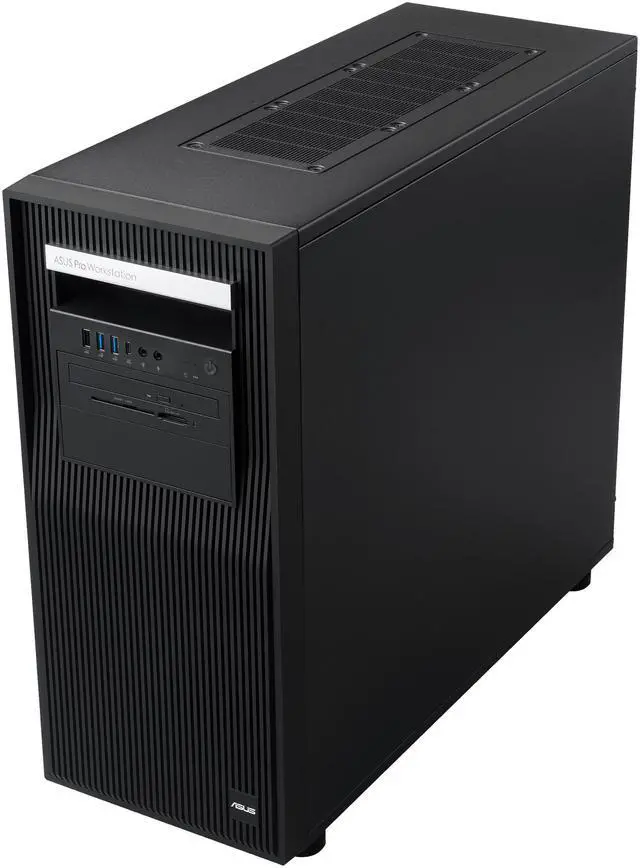
| Chassis And Form Factor | Tower workstation built on the ASUS ExpertCenter Pro ET900A X9 platform |
| Processor And Core Count | AMD Ryzen Threadripper PRO 9965WX, 24-core processor, single CPU in Socket sTR5 on AMD WRX90 chipset |
| Memory Configuration | 128GB DDR5 installed, 8 memory slots total, supports up to 2TB of memory |
| GPU And VRAM | ASUS TUF Gaming GeForce RTX 5090 with 32GB GDDR7 video memory for large-model training/acceleration and graphics workloads |
| Storage And Expansion | Installed storage: 2TB M.2 OS SSD and 4TB data SSD; chassis includes 4 x 3.5" internal bays and supports SATA/SAS drives for additional capacity |
| Expansion Slots | Seven PCIe Gen5 expansion slots (majority x16 links with one Gen5 x8), providing room for additional GPUs, accelerators, or expansion cards |
| Wired Networking | Dual Intel 10Gb Ethernet ports (2 x 10GbE) for high-throughput local networking |
| Power And Cooling | Single 2000W ATX 80 PLUS Platinum power supply to support high-power CPU/GPU configurations |
| Operating System And Software | Ships with Ubuntu as the operating system |
Q: Should I choose this RTX 5090 Threadripper PRO 9965WX workstation or a lower-tier 16-core Threadripper PRO system?
A: Choose this 24-core configuration when your workloads mix GPU-heavy AI inference with CPU-heavy tasks such as data preparation, rendering, simulation, compiling, or running several workstation apps at once. The Threadripper PRO 9965WX keeps the same WRX90-class platform features as lower-tier PRO models, but adds more CPU headroom than the 16-core 9955WX for multitasking and longer CPU-bound jobs. A 16-core Threadripper PRO build is the better fit if your work is mostly single-GPU inference and lightly threaded productivity, where platform features matter more than additional cores.
Q: Is this workstation a better buy than an RTX 4090 workstation for local AI and content creation?
A: Choose this system over an RTX 4090 workstation if you want more VRAM headroom and a newer GPU generation for local AI, heavier scenes, and longer-term workstation use. The RTX 5090 moves to 32GB of GDDR7 versus 24GB on the RTX 4090, which is a practical advantage for larger local models, bigger contexts, and GPU memory-sensitive creative work. Review data also shows meaningful gains in several workstation and AI tests, although the value difference is smaller if your current projects already fit comfortably within 24GB of VRAM.
Q: Should I buy this 24-core Threadripper PRO 9965WX system or step up to a higher-core Threadripper PRO workstation?
A: This 24-core model is the better choice when you want a strong balance of single-system AI, workstation responsiveness, and enterprise expandability without moving into very high core-count pricing. Step up to 32-core, 64-core, or 96-core Threadripper PRO if your work is consistently CPU-bound, such as offline rendering, simulation, code compilation at scale, or heavily parallel engineering workloads. For a single RTX 5090 workstation focused on local inference plus mixed professional work, the 9965WX is often the more balanced configuration; higher-core options make more sense when the CPU, not the GPU, is the main limiter.
Q: Is this workstation worth choosing over the previous-generation Threadripper PRO 7965WX class?
A: Choose this system if you are buying new and want the latest 24-core Threadripper PRO platform with Zen 5 generation improvements. The 9965WX keeps the same 24-core class as the 7965WX but adds measurable generational gains in professional workloads, making it the more logical new purchase for users who plan to keep the workstation for several years. A previous-generation 7965WX system still makes sense when priced meaningfully lower and your applications are not currently limited by CPU performance.
Q: Should I get this tower workstation or a high-end mobile workstation for AI development?
A: Choose this tower if performance, memory capacity, storage expansion, 10GbE networking, and full desktop RTX 5090 performance matter more than mobility. A high-end mobile workstation is the better choice when you need to work on-site or travel regularly, but laptop-class RTX 5090 systems operate in a different power and thermal envelope and usually give up some sustained performance versus a desktop tower. For local LLM work, longer inference sessions, and future expansion, this tower is the more suitable format; for portability-first workflows, a mobile workstation is the more practical trade-off.
Q: Who is this workstation actually suitable for?
A: This system is best suited for professional AI inference and development, data science, rendering, simulation, and other workstation-class workloads that benefit from a 24-core Threadripper PRO CPU, 32GB RTX 5090 VRAM, ECC memory, and high-speed local NVMe storage. It is not a sensible choice for routine office work, meetings, web browsing, or basic content creation, because the hardware, power budget, and price are far beyond those needs.
Q: Is this a good choice for everyday office work, meetings, and note-taking?
A: No. It can do those tasks easily, but it is a poor fit if that is your main use. This is a large tower AI workstation with a 2000W power supply, liquid-cooled Threadripper PRO processor, and RTX 5090 graphics. For email, documents, video calls, spreadsheets, and note-taking, a far less expensive business desktop or laptop would be more practical, quieter, easier to place, and more cost-efficient.
Q: Is this something you can use as a travel work device?
A: No. This is a full-size tower workstation, not a mobile system. It is appropriate for a fixed desk, lab, or studio setup where you want local compute, large memory capacity, strong GPU acceleration, and fast storage. If portability matters, a workstation laptop or compact desktop is the better category.
Q: What are the main trade-offs versus a cheaper creator or gaming desktop?
A: The trade-off is specialization versus value. This ABS system adds workstation-focused advantages such as ECC registered memory, Threadripper PRO platform features, dual 10Gb Ethernet, much higher memory ceiling, enterprise-oriented expandability, Ubuntu preinstallation, and large local storage. A cheaper creator or gaming desktop can be better value for gaming, Adobe-type content work, and mixed personal use, but it usually gives up ECC memory, enterprise networking, workstation expandability, and heavy multitasking or compute headroom.
Q: Is Ubuntu support a real advantage here?
A: Yes, if your workflow already depends on Linux-based AI, development, or server-style tooling. Ubuntu preinstallation removes the need to replace Windows on day one and makes this system more aligned with Python, CUDA-style compute workflows, containers, and on-prem model serving. It is less ideal for buyers who need broad out-of-box compatibility with Windows-only business or creative software.
Q: Who is this workstation actually suitable for?
A: This workstation is best suited to users who need one machine for local AI inference, GPU-accelerated development, and CPU-heavy workstation tasks at the same time. Its fit is strongest for developers, data scientists, rendering users, and technical teams that benefit from a 24-core Threadripper PRO CPU, 128GB ECC memory, 32GB of GPU VRAM, fast NVMe storage, and Ubuntu out of the box. It is less suitable if your main need is portable use, light office work, or the lowest-cost way to run small models.
Q: Is it worth buying for local LLM work?
A: It can be worth buying if you specifically want on-prem AI inference with a high-end single GPU, enterprise-style memory, and workstation expandability. The main reason is the RTX 5090's 32GB VRAM, which makes it more practical for larger local models and heavier inference workloads than mainstream gaming PCs. The trade-off is cost: community discussion repeatedly frames high-end local AI workstations as worthwhile mainly when you need local control, predictable access, or workstation-class expandability, not when cloud access or smaller models are enough.
Q: What are the main trade-offs of this workstation?
A: The main trade-offs are price, power, size, and upgrade cost. This system gives you workstation-class CPU features, ECC RDIMM support, dual 10GbE, multiple PCIe Gen5 x16 slots, and a 2000W Platinum PSU, but those benefits come with higher platform cost than a consumer desktop. Community discussions around similar Threadripper PRO and RTX 5090 builds also highlight power planning, cooling, and ECC memory pricing as recurring considerations.
Q: Is 128GB ECC memory enough for this kind of AI workstation?
A: For many single-GPU development and inference workflows, 128GB ECC is a strong starting point and aligns with what many builders discuss for similar RTX 5090 workstations. It is enough for substantial local development, multitasking, and data work, while ECC helps with reliability. However, this workstation is a better fit if you want a solid baseline with room to grow, because some advanced users in the community move well beyond 128GB for larger datasets, virtualization, or multi-GPU plans.
Q: Is Ubuntu on this workstation a benefit or a drawback?
A: Ubuntu is a benefit if your workflow already depends on Linux-based AI, development, or server-style tooling. It reduces setup friction for many technical users compared with starting from a consumer Windows gaming PC. The drawback is that community discussion around similar RTX 5090 and Threadripper builds shows Linux setup can still require driver, version, or compatibility work, especially on very new GPU platforms. This is a good fit for users comfortable with Linux administration, but less ideal for buyers who want a purely plug-and-play desktop experience.


